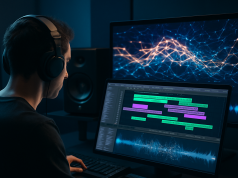
Soundverse is marketing CAVE, its AI Music Studio, as an all-in-one production space that lives entirely in a web browser, letting creators generate, arrange, edit, and export both music and video from a single shared timeline with no software installation required. Rather than functioning as a basic text-to-music generator, the platform carries users through an entire workflow, starting with prompt-based generation and continuing through multi-track editing and final polish, all within one continuous session.
A Browser-Based DAW Designed for Group Sessions
According to Soundverse, CAVE stands for Collaborative Audio Visual Environment, and the company presents it as a digital audio workstation that runs directly inside a browser tab. No downloads, installs, or software updates are needed, and creators can reach the tool either by navigating to soundverse.ai/aistudio or by selecting the Studio tile on the homepage. Because music and video are built simultaneously along the same timeline, Soundverse groups CAVE with integrated, browser-native production systems rather than with traditional desktop applications that rely on locally stored project files.
Collaboration is another core design element. Per Soundverse, a creator can start a session, click the Share button to produce a unique link, and send that link to collaborators, who can then log in and enter the identical session right away. This setup turns the studio into a communal workspace where several people can operate within one browser session simultaneously, eliminating the need to trade project files back and forth.
From Text Prompts to Full Arrangements
The production process begins with a text prompt that triggers generation, after which arrangement tools take over, allowing creators to position clips, build out new sections, and stack elements on top of one another. Prompts can be written for full songs, instrumental tracks, vocals, lyrics, video, and cover artwork. The built-in AI Beat Maker takes a descriptive mood, such as dark 140bpm trap, dusty boom-bap, or festival EDM, and turns it into drum patterns, 808 bass, melodies, and a finished mix.
Per the company’s help documentation, creators can set parameters like track duration and looping before audio is generated. After a piece is produced, the Arrangement Studio lets users shape the song’s structure, including the intro, verse, drop, chorus, outro, and bridge, through drag-and-drop clip placement, and gives them the ability to reposition, lengthen, or remove sections entirely. Soundverse also states that the platform supports stem separation, mastering, remixing, extending tracks, and a browser-based DAW for finishing and exporting the final product.
Agent One Serves as the Studio’s Guiding Producer
Overseeing the studio is what Soundverse calls Agent One, described by the company as a reasoning-based AI producer. According to its product materials, this assistant can map out and execute a full workflow once a creator states their goal, and the FAQ notes that the Soundverse Agent works across generation tools including Song, Music, Lyrics, Singing, DNA, Melody-to-Song, and MIDI-to-Song. It can also apply modification tools such as Stem Separator, Inpainting, Extend, Section Analysis, Voice Swap, Voice to Instrument, and Similar Music/Song.
The FAQ additionally states that the agent is capable of detecting and altering key and tempo, adding EQ, reverb, delay, compressor, and distortion effects, and combining or layering audio tracks. It retains context from prior messages, meaning a follow-up request like make it a little louder gets applied automatically to whatever was most recently changed. Soundverse frames this as a complete creative pipeline, one where generating, arranging, and refining a track all happen within a single environment instead of being spread across multiple separate tools.
Login Methods, Free Access, and Pricing Clues
Soundverse states that account access is available either through a native Soundverse login or by signing in via Google, Instagram, or Spotify. According to one of its help pages, a free tier exists that comes with 100 tokens. Separately, a demonstration video depicts an invite-code-based free trial, though this detail surfaces only in the demo footage and is not confirmed in the company’s written help materials.
In its broader public messaging, Soundverse describes itself as a generator spanning AI music, video, lyrics, and voice, asserting that it draws on genuine artist DNA profiles and offers licensable AI voice models, along with the ability to train a royalty-free custom voice. Its feature pages further claim that the combination of a conversational AI Assistant, a set of AI Magic Tools, and the Arrangement Studio allows prompts to be converted into original, royalty-free music within minutes.
A Story About Product Capability, Not Corporate Moves
The information available frames this update as being about what the product can do, not about funding rounds, litigation, mergers, or leadership changes. What stands out is the studio itself, a collaborative, browser-based AI production workflow that brings together generation, editing, stem-level control, section-specific arrangement, and export functions within a single interface.
Across its own documentation, Soundverse keeps stressing that the AI Studio is designed to work as a complete production environment, offering multi-track editing, stem-level adjustments, effects targeted at specific sections, and structural arrangement tools all in the same session. Based on the source material, the studio is currently live and reachable through Soundverse’s web interface, with its collaboration, generation, arrangement, and export functions all described as capabilities that are already active.
For editorial consideration and industry coverage inquiries, contact [email protected]